バッテリーのBMSがスリープモードに入ると、遠隔ソーラーカメラがオフラインになる理由。バッテリーが低電圧状態となり、BMSがスリープモードまたは保護モードに入ると、遠隔ソーラーカメラがオフラインになることがあります。出力接続が切断されると、カメラとコントローラーがシャットダウンする場合があり、一部のソーラーコントローラーではバッテリーが自動的に復帰しないことがあります。
遠隔地でのセキュリティ監視、農場、建設現場、交通、野生生物、あるいは設備の監視において、重要なのはバッテリーの容量だけでなく、システムが過放電を回避し、手動でのメンテナンスなしに正常な状態に戻せるかどうかです。
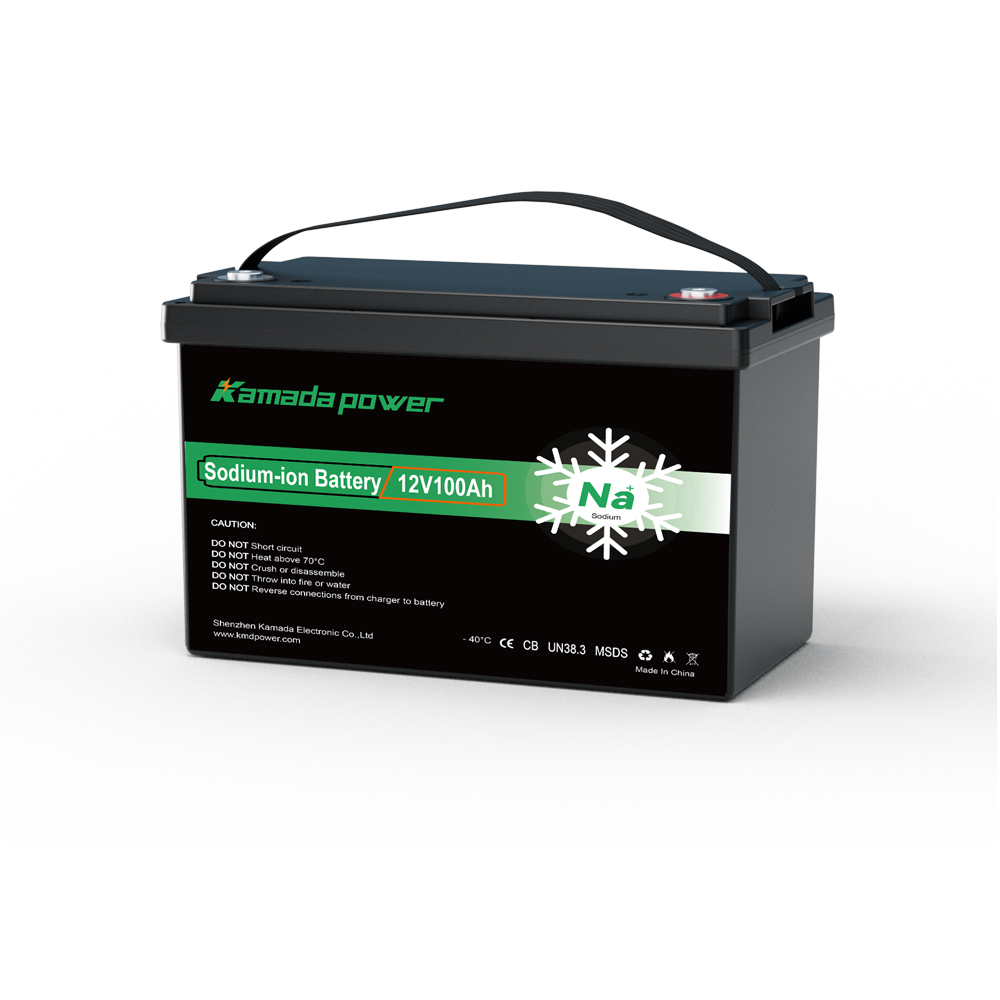
カマダパワー 12v 100Ah ナトリウムイオンバッテリー
BMSのスリープモードは保護機能であり、単なる不具合ではありません
BMSは、バッテリーが深く放電された場合、長時間使用されていない場合、充電に適さないほど低温の場合、過負荷の場合、または所定の電圧範囲外にある場合に、スリープモードまたは保護モードに入る可能性があります。その状態では、バッテリーの端子からの出力がほとんどないか、まったくない場合があり、接続された機器はバッテリーが切れたかのように動作することがあります。
遠隔地のソーラーカメラの場合、その保護機能によって現場で不具合が発生する可能性があります。BMSはバッテリーパックを保護しますが、カメラの電源が切れてしまいます。設置場所が遠方にある場合、システムの再起動、復帰、または再充電を行うためだけに、誰かが現地へ赴く必要が生じるかもしれません。
だからこそ、BMSのスリープモードは、単なるバッテリー機能としてではなく、システム設計の一部として捉えるべきです。バッテリー自体は保護されるものの、カメラが数日間オフラインのままになってしまうような仕様では、遠隔監視には不十分です。
カメラの負荷は小さいが、長時間動作する
遠隔地のソーラーカメラは、大型の産業用機器に比べて消費電力が少ない場合が多いですが、24時間稼働し続けることがあります。負荷には、カメラ、赤外線LED、無線モデム、レコーダー、モーションセンサー、コントローラー、ヒーター、および待機時の電子機器などが含まれます。
少量の負荷でも、長期間続くと深刻な問題となる。
曇りの日には、わずか数ワットの連続消費でも小型バッテリーの電力が急速に消耗することがあります。暗くなってからは、暗視機能の使用により消費電力が増加する可能性があります。携帯電話回線による通信により、一時的な電力消費の急増が生じる場合があります。頻繁にデータをアップロードするカメラは、ローカルに記録するカメラよりも多くの電力を消費する可能性があります。日中のテストでは効率的に見えるシステムでも、夜が長い場合や電波状態が悪い場合、あるいは動きが頻繁に検知される場合には、バッテリーの消耗が早まる可能性があります。
だからこそ、バッテリーの容量選定は、カメラの消費電力だけでなく、1日の総消費電力から始めるべきなのです。バッテリーパックは、通常の負荷、夜間運転、通信のピーク時、待機時の消費電力、そして予備日数をカバーしつつ、低電圧保護が繰り返し作動することのないように設計されなければなりません。
バッテリーを選ぶ前に、実際の1日あたりの消費電力を計算しましょう
遠隔カメラの電源システムは、実際の電力消費パターンに基づいて選定すべきである。
現実的な見積もりとしては:
1日あたりのシステム消費電力 = カメラのWh + モデムのWh + センサー/コントローラーのWh + 夜間赤外線のWh + 通信時の消費電力の急増分 + 待機電力
すると、バッテリー容量は次のように推定できます:
必要なバッテリー定格容量 ≈ 1日あたりのシステム消費電力 × 稼働日数 × 損失率 ÷ 有効エネルギー率
損失係数には、コントローラの損失、ケーブルの損失、温度の影響、経年劣化の余裕、および実際の設置状況による挙動を含める必要があります。利用可能エネルギー率は、完成したパックの設計、BMSのカットオフ値、コントローラの低電圧設定、および回復戦略に基づいて算出されるべきです。
について ナトリウムイオン電池 パックについては、パックレベルで検討する必要があります。使用可能なSOC範囲、電圧ウィンドウ、BMSのスリープ閾値、低温時の充電許可、およびウェイクアップ動作によって、無人運転に実際に利用可能なエネルギー量が決まります。
この計算を怠ると、カメラのバッテリーは一見十分な容量があるように見えても、日照の弱い日が数日続いただけで切れてしまう可能性があります。
太陽電池の出力が低下すると、バッテリーがスリープモードに移行する可能性があります
遠隔地のソーラーカメラは、日々のエネルギー循環に依存しています。日中はソーラーパネルがバッテリーを充電し、夜間や曇りの日にはカメラがバッテリーを消費します。もし太陽光による入力が1日の消費量を下回ると、バッテリーのSOCは徐々に低下し、最終的にBMSがバッテリーパックを保護する状態になります。
これには数日あるいは数週間かかる場合があり、そのため原因に気づきにくいのです。
設置後はカメラは正常に動作します。バッテリーの状態も問題なさそうです。しかし、曇りや積雪、日陰、ほこり、パネルの設置角度の悪さ、あるいは冬場の弱い日差しなどが原因で、太陽光の入力が減少します。その結果、日中にバッテリーが十分に充電されず、最終的にBMSが出力を遮断します。
ユーザーには突然の停止が見える。実際の障害はそれより前から始まっていた。システムの回復ループが負荷に耐えきれなかったのだ。
バッテリーの容量を大きくすれば、この問題の発生を遅らせることができますが、ソーラーパネルが消費されるエネルギーを補えない限り、根本的な解決にはなりません。
低電圧遮断とBMSスリープは同じものではない
適切に設計されたソーラーカメラシステムであれば、通常、バッテリーがBMSの過放電保護レベルに達する前に、負荷を軽減するか、カメラの電源を遮断するはずです。それが、コントローラーレベルの低電圧遮断機能の役割です。
BMSスリープモードは、より高度な保護機能です。日常的なシャットダウン方法として使用すべきではありません。
カメラやコントローラーが、BMSが切断するまで電力を消費し続けると、復旧が難しくなります。ソーラーコントローラーがバッテリーを認識しない可能性があります。また、カメラが正常に再起動しない場合もあります。BMSが出力を再接続するには、ウェイクアップ電圧または制御された充電器の入力が必要になる場合があります。
遠隔地のソーラーカメラについては、システムは通常動作中にその状態にならないようにすべきである。コントローラは、バッテリーがディープスリープ状態に入る前に、低消費電力モードへの移行、負荷の切断、デューティサイクルの短縮、または通信のスケジュール調整を行う必要がある。
ソーラーコントローラーは、充電状態の低いバッテリーを起動できない場合があります
遠隔地でよく発生する問題の一つに、ウェイクアップの失敗があります。
BMSの出力が遮断されている場合、ソーラー充電コントローラーは正常なバッテリー電圧を検知できない可能性があります。コントローラーによっては、起動、システム電圧の特定、または充電開始のためにバッテリー電圧を必要とするものがあります。コントローラーが起動しない場合、バッテリーがスリープ状態のまま、ソーラーパネルが発電している可能性があります。
これにより、もどかしい悪循環が生じます。システムはバッテリーを起動させるために充電が必要ですが、充電器がバッテリーを検知できないため、動作しない可能性があるのです。
放電状態のバッテリーは、適切な充電器や起動方法を使えば回復できることがよくありますが、遠隔カメラにとってはそれだけでは不十分です。設計においては、自動的な回復を目指すべきです。過放電が発生するたびに手動で起動させる必要がある場合、そのシステムは無人の設置環境には適していません。
ウェイクアップ動作は、現場での設置前に検証しておくべきであり、カメラがオフラインになってから発見されるようなことがあってはならない。
ナトリウムイオン電池パックには、依然としてパックレベルの復旧設計が必要である
ナトリウムイオン電池 特に、低温下での放電、長時間の待機時間、安全基準が重要な場合、遠隔地の屋外電源として有用です。しかし、単にAh値が同じだからといって、そのまま置き換えられるものではありません。
完成したナトリウムイオン電池パックについては、SOCが低い状態、BMSのスリープ状態から復帰後、低温充電中、およびソーラーコントローラーによる充電試行時の動作特性を明確に定義しなければならない。
| ナトリウムイオン電池の境界 | なぜ重要なのか |
|---|
| 使用可能なSOC範囲 | 保護が有効になるまでの実際の待機時間を決定する |
| BMSの睡眠閾値 | 出力が切断されるタイミングを決定する |
| 目覚めの方法 | 復元が自動で行われるかどうかを決定します |
| 低温での充電許可 | 春と冬の涵養を制御する |
| パック電圧範囲 | コントローラーの互換性に影響します |
| 待機時の自家消費 | 長時間アイドル状態時の電力消費に影響する |
| 保護の回復動作 | カメラがサービスなしでも再起動するかどうかを決定します |
これらの境界が不明確な場合、バッテリーは自己保護機能を発動させるものの、リモートカメラアプリケーションは正常に動作しない可能性があります。
寒い天候は、長い夜を過ごした後、充電を妨げる可能性があります
寒冷地では、睡眠モードに関する問題が発生しやすくなります。これは、夜間の最も気温が低い時間帯にソーラーカメラの充電が切れてしまい、翌朝、バッテリーがまだ冷えている状態で再充電を試みようとするためです。
低温での放電と低温での充電は、異なる動作状態です。ナトリウムイオン電池パックは低温環境下でも放電可能ですが、セルが低温の状態では、充電がブロックされたり、遅延したり、定格出力が低下したり、加熱されたり、あるいはBMSの温度ロジックによって制御されたりする場合があります。パックに加熱機能が備わっている場合、太陽光発電による入力が開始されると、通常の充電が始まる前にまずパックが温められることがあります。
遠隔地のカメラの場合、太陽光による充電には時間的制約があるため、これは重要な問題となります。低温時の充電阻害や暖機運転の遅れによって、朝の貴重な充電時間が失われてしまうと、次の夜までにバッテリーが十分に回復しない可能性があります。
システムはすぐには故障しないかもしれません。BMSがスリープモードに入るまで、毎日少しずつSOCが減少していく可能性があります。
通信量の急増や電波状況の悪さは、予想以上にバッテリーを消耗させることがあります
遠隔カメラの消費電力は、必ずしも安定しているとは限りません。
セルラー通信や無線通信では、アップロード、ライブ視聴、電波の弱い場所での検索、再接続、ファームウェアの更新、または動き検知によるアラートの繰り返しなどにより、消費電力が増加する可能性があります。電波の弱い場所に設置されたカメラは、モデムがより多くの処理を行ったり、再試行の回数が増えたりするため、電波の強い場所に設置された同じカメラよりも多くの電力を消費する可能性があります。
これは、バッテリー容量の選定やスリープモード時のリスクに関わる重要な点です。テスト環境では問題なく見えるカメラでも、遠隔地の農場や建設現場、山道、森林地帯などでは、バッテリーの消耗が早くなる可能性があります。
バッテリーシステムの容量は、カメラのアイドル時の仕様だけでなく、実際の通信動作に基づいて決定すべきです。ナトリウムイオン電池パックの場合、小型カメラの負荷であれば、BMSの電流制限が主な問題となる可能性は低いですが、1日あたりの総消費電力や低SOC時の保護機能は依然として極めて重要です。
カメラの電源が切れているように見えても、寄生負荷によってバッテリーが消耗することがあります
一部の遠隔ソーラーカメラシステムには、コントローラー、モデム、GPSモジュール、センサー、ルーター、リレー、ステータスLED、ヒーター、データロガーなどが含まれており、カメラが動作していないように見えても、これらの機器は電力を消費し続けています。
こうした寄生負荷は、わずかであっても持続的なものになり得ます。保管中や曇天時、あるいは利用が少ない時間帯には、これらが静かにバッテリーの電力を消耗してしまう可能性があります。システムに本格的な低消費電力モードや負荷遮断機能がない場合、BMSは最終的にスリープモードに移行する可能性があります。
これは、季節限定や一時的な設置の場合に特に重要です。建設現場の監視カメラは、工事の段階が変わる間も設置されたままになることがあります。農場の監視カメラは、長期間メンテナンスが行われないことがあります。防犯カメラは、ほとんど作動しないにもかかわらず、電源が入ったままになることがあります。
リモートシステムには、単なるカメラの切り替えだけでなく、本格的なスタンバイ戦略が必要です。
真の失敗の境界線は少ないが、極めて重要である
実際に停電を引き起こす要因という観点からシステムを見れば、BMSのスリープモードを防止しやすくなります。
| 失敗境界 | 現場では何が起きているのか | デザインの方向性 |
|---|
| 1日あたりのエネルギー不足 | カメラが消費するエネルギーは、パネルが発電するエネルギーを上回っている | パネルのサイズ変更、負荷の軽減、デューティサイクルの調整、または稼働時間の延長 |
| 過放電 | BMSが出力を遮断するまで、負荷は動作し続けます | BMSのスリープモードに入る前に、コントローラーレベルの低電圧遮断機能を追加する |
| 目覚めの不一致 | ソーラーコントローラーは、休止状態のバッテリーを再起動できません | 充電器/BMSのウェイクアップおよびリカバリ動作の検証 |
| 低温充電 | バッテリーは夜間に放電してしまうが、寒い朝には充電できない | ディレーティング、加熱、または温度に応じた回復ロジックを使用する |
| 通信量の急増 | モデムまたは無線モジュールの消費電力が予想以上に多い | 実際の信号環境におけるサイズとアップロードの挙動 |
| 寄生負荷 | 小型デバイスは、使用していない間にバッテリーを消耗します | 不要な負荷を遮断するか、真の低消費電力モードを設計する |
この表は、バッテリー自体に不具合がない場合でも、遠隔地のソーラーカメラが通常どこで電源を失うかを示しています。
起床時の確認リスト
遠隔ソーラーカメラ用電源システムを承認する前に、晴天時の起動だけでなく、停電および復旧のシナリオについてもテストを行ってください。
| 検証項目 | テスト対象 |
|---|
| SOCが低い状態からの回復 | 手動での操作なしにバッテリーは起動しますか? |
| ソーラーコントローラーの再起動 | コントローラーは保護対象のバッテリーパックを検知し、充電しますか? |
| 肌寒い朝のランニング | BMSは充電、電流制限、または発熱管理に対応していますか? |
| 微弱信号処理 | コミュニケーションの力は、サイズに関する想定を上回るのでしょうか? |
| 寄生負荷 | アイドル状態の間に、待機電力によってバッテリーの電力が消耗しますか? |
| 計画的な停止 | コントローラーは、BMSがスリープ状態に入る前に負荷を切断しますか? |
| カメラの再起動 | 電源が復旧した後、カメラは正常に再起動しますか? |
| 数日間、日差しが弱い | 数日間日照量が少ない状態が続いた後、システムは正常に回復しますか? |
これらのテストに合格したシステムは、リモート環境での運用に耐えうる可能性が高くなります。
標準パックは、復旧が簡単な場合にのみ機能します
標準的なナトリウムイオン電池パックは、1日の消費電力が小さく、太陽光発電の入力が安定しており、電池の駆動時間が十分で、温度がパックの充電可能範囲内に収まり、かつソーラーコントローラーが手動操作なしで電池を回復できる場合、遠隔地のソーラーカメラに適している可能性があります。
これは妥当な使用例です。寒冷地、日陰、日照の弱い季節、電波状況の悪い場所、長期間の無人設置、あるいはダウンタイムが許されないセキュリティ上重要な場所などにカメラを設置する場合、カスタムパックやシステム設計により安全性が高まります。 こうした条件下では、BMSのスリープ動作の変更、待機時の消費電力の低減、ヒーター制御、ソーラーコントローラーとの整合、ウェイクアップロジック、予備電力の増強、あるいはより目立つ故障報告が必要となる場合があります。
問題は、ナトリウムイオン電池が遠隔カメラの電源として機能するかどうかではありません。問題は、環境条件が理想的でない場合でも、完成したバッテリーパックと太陽光発電システムが正常に機能し続けることができるかどうかです。
晴天時のデモだけでなく、オフラインのシナリオも検証する
遠隔操作のソーラーカメラは、晴れた日に設置して動作したからといって、それだけで承認すべきではありません。
この検証では、以下の停電シナリオを対象としています:数日間の曇天、長時間の夜間運転、低いSOC、必要に応じて寒い朝の充電、通信信号の弱さ、低電圧後のカメラの再起動、BMSのスリープ状態からの復帰、およびソーラーコントローラーのウェイクアップ動作。
正常な動作とは、システムがオンライン状態を維持するか、BMSのディープスリープに入る前に制御された方法でシャットダウンし、太陽光の入力が回復すると自動的に復旧することを意味します。バッテリーが自己保護機能を発動しただけで、現場に駆けつける必要が生じるようなことはあってはなりません。これこそが、システムが真に遠隔運用に対応している証なのです。
結論
BMSのスリープ状態後に、システムがバッテリーパックの電力を安全動作範囲を超えて消耗させ、自動回復できない場合、遠隔監視用ソーラーカメラの電源が切れます。
これを防ぐため、カメラの負荷、太陽電池パネル、低電圧遮断装置、ナトリウムイオン電池パックの回復、BMSの起動、低温充電、待機負荷、および通信用電力需要を、一つのシステムとして設計する。
遠隔地のソーラーカメラ用電源システムを設計する場合、 お問い合わせ プロジェクトの主要な詳細情報をご提供ください。最適な選択肢の選定をお手伝いいたします。 ナトリウムイオン電池パック および電力系統構成。