あなたの人生を伸ばす方法 ロボットバッテリー 人生。御社のAMRフリートは前四半期に98%の稼働率を達成しました。今、ロボットは20分早くドッキングしたり、走行中に死んだりしています。OEMのせいにしてバッテリーブランドを交換したくなるかもしれませんが、何百もの故障パックを分析した結果、核心的な真実が明らかになりました: 充電の習慣、熱、保管行動などが、ほとんどの「バッテリーの問題」の原因であり、欠陥ではない。 AGVを管理するにしても、カスタムローバーを作るにしても、業務用バキュームを運転するにしても、化学的な性質は嘘をつきません。このガイドでは、次のようなクイック・ウィンについて詳しく説明します。 今日の走行時間を稼ぐ のベストプラクティスを紹介する。 交換までの年数を確保.
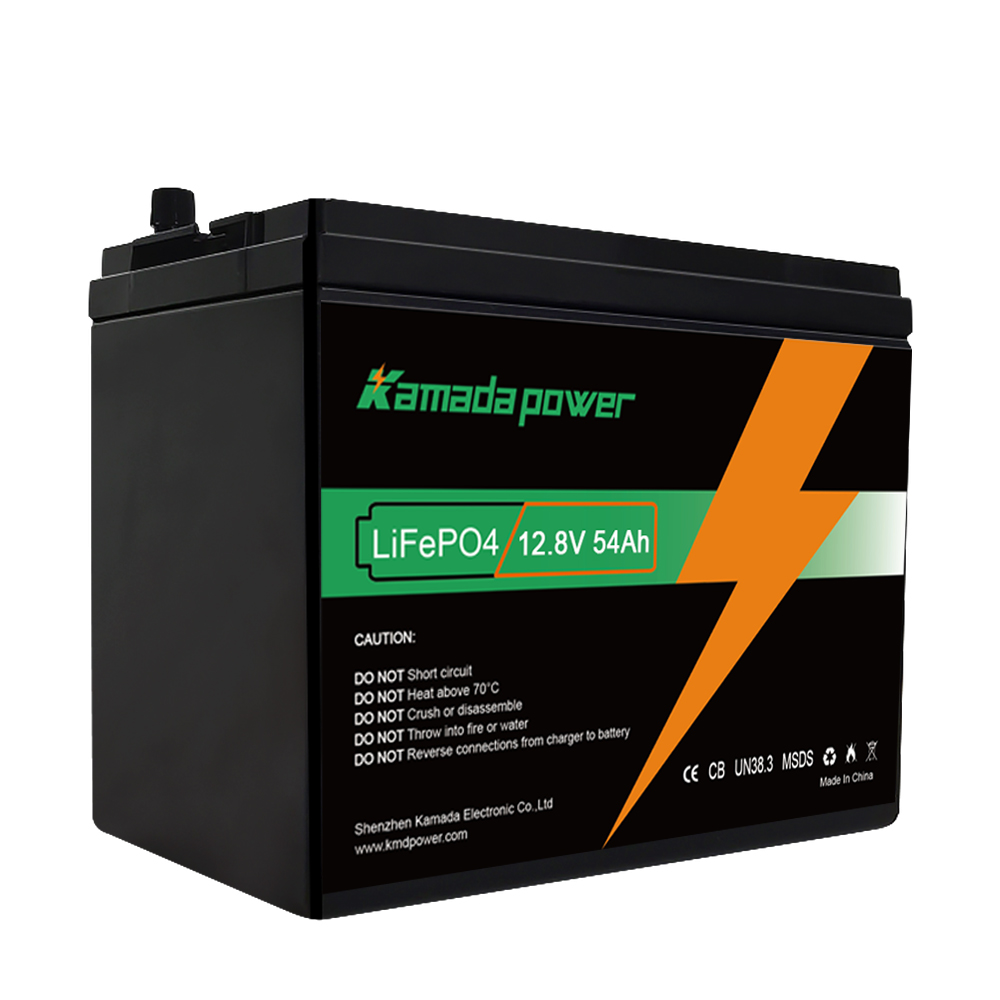
カマダパワー 12V 50Ah ライフポ4 バッテリー
ロボットのバッテリー寿命には2つの意味がある:
というのも、「バッテリー寿命」は2つの異なる工学的概念を表す略語として混乱を招くからだ:
- ランタイム:1回の充電でロボットが動く時間(例:「4時間動きます」)。
- 寿命(サイクル寿命):バッテリーが交換が必要なほど劣化するまでに何ヶ月または何年持つか(例:「2年持ちました」)。
しかし、機械的な問題(摩擦や重量)が駆動時間を左右することが多い。しかし、寿命の大部分は化学的な問題である。寿命を改善するには、リチウムパックの3つの敵と戦わなければならない: 熱、深い放電、高充電状態での長期保管.
ステップ1 - バッテリーの種類を確認する(ルールが変わるため)
すべてのパックを同じように扱うことはできません。フォークリフトに搭載される頑丈なLiFePO4パックと、ドローンに搭載されるパウチパックでは挙動が異なります。
一般的なロボット・バッテリーの種類(そしてその嫌いなもの)
- リチウムイオン(NMC/NCA): メーカーは、テスラやほとんどの高級掃除機に、これらの標準的な18650または21700円筒形セルを使用している。これらは高いエネルギー密度を提供するが 暑さ嫌い そして 100%充電器の近くに長時間座っている.
- LiFePO4(LFP): 多くの工業デザインで愛用されている。重量は重くなるが、安全性と長寿命(多くの場合 ~2,000サイクルクラスDoD、温度、充放電率に依存する)。乱用にはよく耐えるが 0℃以下での充電は一般的な制限です。 パックにヒーターがあるか、低温充電用に設計されたBMS戦略がない限り。
- LiPo(リチウムポリマー): DIYロボットやドローン製作者がよく使う。これらのソフトパウチパックは、軽量なパワーを提供するが、寛容性に欠ける。これらは オーバーチャージが嫌い および物理的なパンク。もし膨らんだら、それは故障状態であり、安全上のリスクとして扱うこと。
- NiMH(ニッケル水素): 古いロボットや格安のロボットはこれらを使用している。リチウムほど高充電で置いておいても気にならないが、自己放電が大きいのが難点だ(棚に置いておくだけで充電量が目に見えて減っていく)。
- ラベルを確認する: Li-ion」、「LiFePO4」、または特定の電圧(3.7Vの倍数は通常Li-ion/LiPoを示し、3.2Vの倍数はLiFePO4を示すことが多い)を探す。
- 充電器をチェックする: マルチピンの "バランス "コネクターがありますか?ホビーグレードのリポを使用している可能性が高い。コンタクトパッドでドッキングしますか?民生用リチウムイオンかニッケル水素システムの可能性が高い。
- 形状をチェックする: 硬いプラスチックケースには円筒形のセルが隠されていることが多い。柔らかい箔の包装はパウチセル(LiPo)を示す。
ステップ2 - 目標を決める:今日のランタイムを増やすか、全体的な年数を増やすか
産業界のお客様と仕事をしてきた経験から、短期的なニーズは通常、どちらかを優先せざるを得ません。
もっと走りたいなら(今日)
もしロボットがルートを終える前に止まってしまったら、すぐにバッテリーのせいにしないでください。物理学のせいにしてください。
- 転がり抵抗を減らす: ホイール・ベアリングを掃除しただけで、バッテリー交換にかかる費用を$10万円も節約できたことがある。髪の毛や糸、ホコリは摩擦を生みます。モーターは同じ速度で動くためにより多くのアンペアを引っ張り、バッテリーの消耗を早めます。
- コンタクトの質を高める: イソプロピルアルコールと糸くずの出ない綿棒や布で、ドックとロボットの充電接点をきれいにしてください。接点が酸化すると抵抗が大きくなり、ランプが緑になってもパックが満充電にならないことがあります。(鉛筆の消しゴムでも大丈夫です。 緊急 ただし、メッキ接点にやすりをかけないよう、やさしく使うこと)。
- ルートを最適化する: AMRの場合、パッシングを滑らかにする。一定のストップ・スタート動作は、安定した巡航よりも高いピーク電流を引き出します。
- センサーを固定する: ロボットが信号を "ハント "したり、Wi-Fiのハンドシェイクで苦労したりすると、移動ではなく計算サイクルでエネルギーを消費することになる。
もっと寿命を延ばしたい場合(月/年)
この戦略は、内部の化学反応を保護し、必然的に上昇するのを遅らせる。 内部抵抗.
- 熱を管理する: 充電ドックは直射日光を避け、熱源に近づけないでください。
- 深い放電を避ける: ロボットが死ぬまで動かしてはいけない。
- 100%に駐車しないでください: ロボットが長期間オフラインになる場合は、まず部分的に放電する。
- 部分充電を使用する: もしロボットがシフトを終えるのに60%のバッテリーしか必要としないのであれば、もしソフトウェアが充電制限を許可しているのであれば、毎回100%まで充電させる必要はありません。
80/20ルールとそれがロボットに重要なとき
フル充電+放置がリチウムに負担をかける理由
限界まで引き伸ばされた輪ゴムを想像してください。これは100%の充電状態(SoC)のバッテリーを表しています。電圧は高く、正極にストレスを与え、副反応を加速させます。このような状態を何週間も続けると、ゴムは弾力性を失います。バッテリーでは、これは内部抵抗の増加や時間の経過とともに使用可能な容量が失われていくように見えます。
実用的な経験則
- 毎日使う: 100%への充電は通常問題ない 定期的に使用する場合パックが高電圧で長時間使用されることはないからだ。
- 保管/使用頻度が低い: もし、ロボットがしばらく使用されずに放置された場合 数週間以上ターゲット 40-60% SoC.これはバッテリーが長期的に安定するための「幸せな場所」である。
充電の習慣 vs 保管の習慣
| Robot usage pattern | Best charging habit | Best storage habit | | | – | | | 毎日運行(年中無休24時間体制) | 100%||フル充電OK→定期的に走行||100%での長時間のアイドリングは避けてください。 毎週開催 | Stop at ~80–90% if software allows | Store at ~40–60% | | シーズン制(教育/農業) | 中間レベルまで充電(ストレージ・モード)|2~3ヶ月ごとに電圧をチェック|充電器
熱はサイレントキラー(特にドッキングロボットの中で)
熱はバッテリーの寿命を縮めます。産業環境では、高温の倉庫で18ヶ月以内にバッテリーが故障するのをよく見かけますが、同じ設計のバッテリーは、空調管理された施設でははるかに長持ちします。
熱はどこから来るのか
- 暖かい部屋で充電する: 充電は内部の熱を発生させます。周囲温度が高い場合(30℃以上)、パックはより熱くなり、より早く老化します。
- 家具の罠」: 消費者向けロボットは、ソファーの下や狭いキャビネットにドッキングすることが多い。これは充電サイクル中に熱を閉じ込める。
- 汚れたフィルター: 掃除機ロボットのフィルターが目詰まりしていると、吸引モーターが過剰に働き、熱を発してバッテリー・コンパートメントを浸しかねない。
- 急速充電: 産業用の "機会充電"(高速バースト)は、特に高いCレートで大きな熱を発生させる可能性がある。
何をすべきか(アクションリスト)
- エアフロー: ドックを開けた場所に移動する。産業用AMRの場合、エアフローを考慮して充電ベイを設計する(ファンも役立つが、優れたレイアウトの方がより役立つ)。
- メンテナンス フィルターやブラシの清掃はスケジュール通りに行う。清潔なロボットはよりクールに動きます。
- クールダウン: ロボットが高負荷走行(高負荷、厚いカーペット)を終えたばかりである場合、高レート充電を開始する前に短時間放置してください。
- DIYのアドバイス もしローバーを作るのであれば、本当の冷却経路を設計していない限り、「保護」のためにバッテリーパックを発泡スチロールで包んではいけない。そうでなければ、基本的に冬用のコートを着ているようなものだ。
#1の過ち:ロボットを0%に何度も "死なせる"
深部放電が実生活にもたらすもの
リチウムパックには化学物質に依存した「ボトムフロア」電圧があり、BMSのカットオフは設計やセルタイプによって異なる。ほとんどのシステムはロボットをシャットダウンする 以前 どのセルも安全でない低電圧に達している。
ロボットを "0% "まで作動させた後、何週間も何ヶ月も充電せずに放置しておくと、自己放電や微小な寄生負荷によってセルがBMSの安全な回復しきい値以下に引っ張られる可能性があります。次に充電しようとしたとき、BMSが充電を拒否するか(保護ロックアウト)、パックが永久に損傷する可能性があります。
修正
- キャリブレーション/ポリシー Return-to-dock" しきい値を高く設定する。もしロボットが5%ではなく15%で帰宅すれば、深いサイクルストレスを減らし、アイドル時間中の偶発的な過放電のリスクを減らすことができます。
- DIYだ: 低電圧アラームまたは遠隔測定カットオフを追加する。
- 産業用だ: 厳格なフリートポリシーを導入する。設定された階数(システムによって異なるが、多くの場合10-20%)以下のロボットは優先的に充電される。
ロボット型プレイブック
ロボット掃除機/モップ
よくある質問だ: ロボットをずっとドックに置いておいてもいいですか? 答えだ: 頻繁に使用する場合、通常はそうだ。より大きな問題は、高SoCでの長いアイドル時間です。長期休暇に入るか、しばらく駐車しておく場合は、ドックから外し、~50%あたりで保管し、冷却しておくこと。
- メンテナンス 充電接点を定期的に拭いてください。接点の抵抗が高いと、バッテリーの故障のように見える「充電エラー」メッセージが表示されます。
DIY/教育用ロボット(リポ&パック)
- バランス充電: 適切なバランス充電器を使用してください。セル電圧がばらつくと(例:セル1が4.2V、セル2が3.8V)、パックにストレスがかかり、危険な状態になる可能性があります。
- ふくらみ: パウチセルが膨らんで見えたら、それは故障だと考えてください。圧縮しないでください。適切に処分してください。
- 物理的な保護: 衝撃が最も少ない場所にバッテリーを取り付け、穴が開いたりつぶれたりしないように保護します。
産業用AMR/AGVロボット(24時間365日稼働のフリート)
- 機会充電: 多くのフリートは、極端な充電を避けるために、休憩中に短時間の充電を頻繁に行っている。 30-80%またはOEM/BMSが推奨するウィンドウ)。目標は、非常に高いSoCでの時間を短縮し、深い放電を避けることです。
- データロギング: "充電時間 "と "走行時間 "を比較する。充電時間は変わらないのに走行時間が短くなる場合は、容量が低下している(あるいは機械的負荷が増加している)可能性が高い。
- ソーシング: サプライヤーにサイクル寿命曲線を問い合わせる 実際に使用するCレートと温度で優しいラボの条件だけではない。
トラブルシューティング - 症状 → 考えられる原因 → 早急な解決策
| 症状 | 考えられる原因 | ファストフィックス |
|---|
| バッテリーが40%から10%に瞬時に低下 | BMS推定ドリフト(SOC校正) | 完全な放電/充電サイクルを実行する 時折 ゲージを再調整する(ディープサイクリングを毎週の習慣にしないこと)。 |
| カーペットの上でロボットが止まる | 負荷時の電圧サグ | ブラシ/ホイールの清掃(摩擦を減らす)、 またはバッテリーの老朽化(内部抵抗が高い) をチェックする。 |
| 充電が安定しない | 高抵抗/酸化接点 | イソプロピルアルコールと糸くずの出ない綿棒/布でドックとロボットの接点を清掃し、しっかりと整列させる。 |
| 充電後、触れると熱い | 抵抗が高い、または換気が悪い | フィルターの目詰まり、過大な負荷、ヒートトラップ内のドックなどを点検する。 |
メンテナンス・スケジュール
週刊(消費者向けロボット)
- メインブラシとサイドホイールの毛を取り除く(モーター負荷を軽減)。
- ビン/フィルターを空にする(空気の流れを良くする)。
- 充電接点を乾いた布で拭いてください。
毎月
- 空気の通り道やバルブを深く清掃する。
- ドックが "ヒートトラップ"(日光/ヒーター/密閉容器)の中にないことを確認する。
四半期/季節保管
- 保管する場合に排出する。 40-60%.
- 涼しく乾燥した場所に保管する(室温でも問題ないが、氷点下でなければ一般的に涼しい方が良い)。
- 重要だ: 2-3ヶ月ごとに電圧/SOCを再チェックする。低下した場合は、保管レベルまで戻してください。
結論
拡張 ロボットバッテリー 人生は魔法ではない。ブースト ランタイム 抗力と荷重を軽減することで 命 充電と保管の習慣を改善することによって。熱を避けること、0%の深放電を繰り返すこと、100%のリチウムパックを何週間も保管することだ。AGVはOEMが承認したミッドバンド内で充電することで恩恵を受けることが多く、季節的なロボットは適切な保管レベルと定期的なチェックインで勝利する。 お問い合わせ にとって カスタマイズロボットバッテリー を解決する。
よくあるご質問
ロボット掃除機をずっと充電器に置いたままにしておくのは悪いことですか?
多くのシステムは満タンになるとアクティブ充電を停止する。より大きなリスクは、高いSoCと暖かい温度での長時間のアイドルです。何週間も保管する場合は、涼しい場所で50%前後で保管してください。
リチウムロボット用バッテリーに最適な充電率は?
長期保存用、 40%〜60% は広く使われているスイートスポットである。100%で保管するとエージングが早まり、空に近い状態で保管すると時間が経つにつれて下がりすぎる危険性がある。
80%への充電は本当にバッテリーの寿命を延ばすのか?
多くの場合、そうだ。最高電圧領域を避け、満充電に近い時間を短縮することで、寿命を大幅に延ばすことができる。
夏や暑いガレージでロボットのバッテリーが早く切れるのはなぜですか?
熱はセル内部の老化反応を促進し、ロボットの負荷も増加させる(モーターやエアフローシステムがより強く働く)。高温環境と充電は、容量減少を早める一般的なレシピです。
ロボットのバッテリーを大容量のものにアップグレードできますか?
技術的にはそうだ電圧が正確に一致する場合 と物理的なフィットは正しい。低品質のセルは内部抵抗が高く、負荷がかかると早期にシャットダウンすることがあります。パックの 放電能力 mAhだけでなく、製造品質も。